 Bettertori Docs
Tori Item Map
Discover the interactive map feature on BetterTori that helps you visualize the exact location of individual items listed on Tori.fi.
How It Works
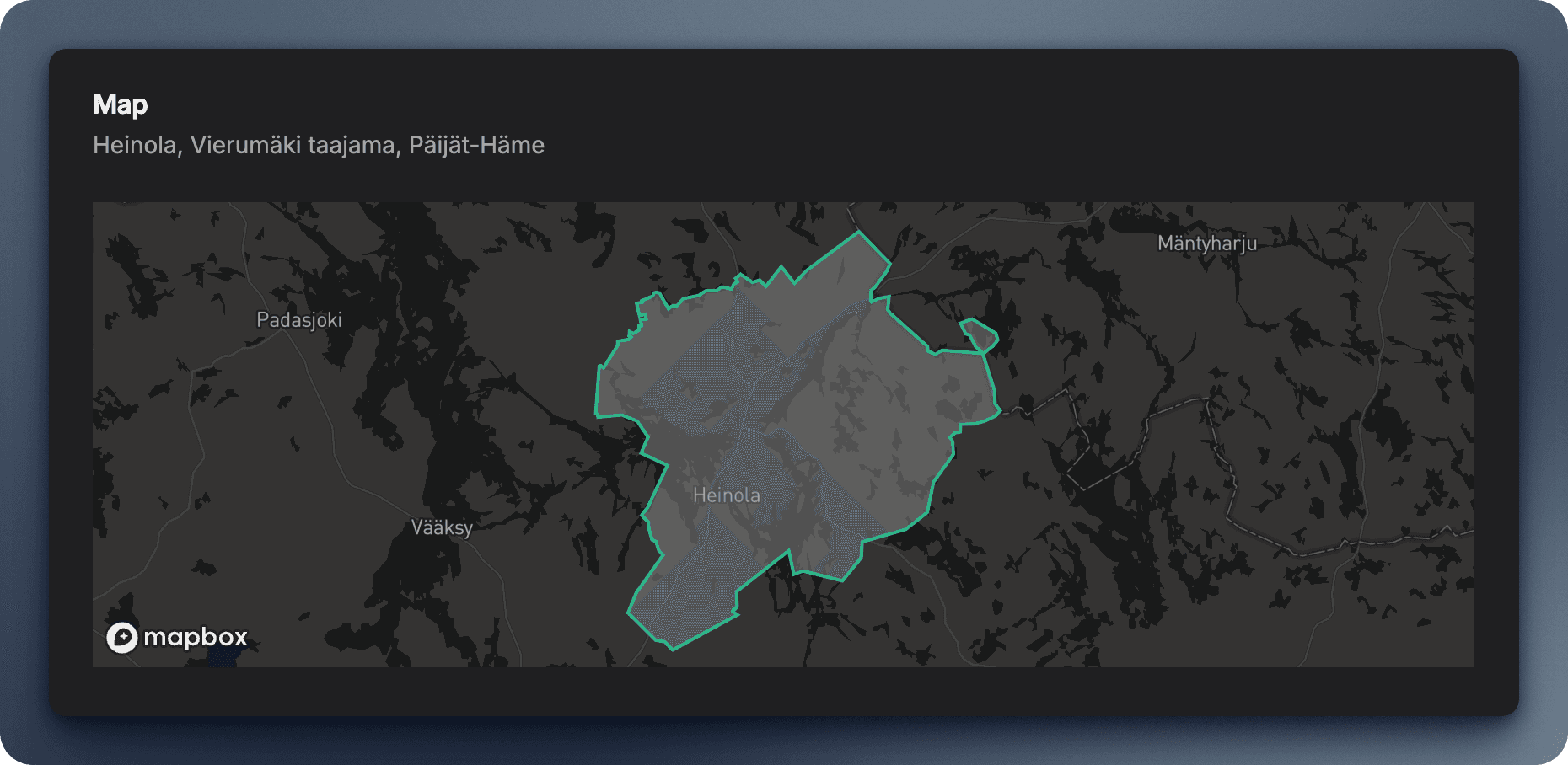
When you view a Tori listing on BetterTori, you'll see an interactive map showing the geographic boundaries of the area mentioned in the listing. This helps you understand the exact neighborhood, district, or region being referenced.
What You'll See
- Precise boundaries: The map displays the actual geographic boundaries of the area (not just a pin)
- Interactive controls: Zoom, pan, and explore the surrounding areas
- Context: See nearby landmarks, roads, and neighborhoods to better understand the location
Location Coverage
The map feature works across Finland and attempts to display boundaries for:
- Cities and municipalities - Helsinki, Tampere, Turku, etc.
- Neighborhoods and districts - Kallio, Punavuori, Töölö, etc.
- Postal code areas - When the listing specifies a postal code
- Regions - Uusimaa, Pirkanmaa, etc.
Privacy Note
The map displays area boundaries only - not exact addresses. This maintains privacy while still giving you useful location context for each listing.
You can read more about the Privacy Policy here.
Tips for Using the Map
- Zoom in to see street-level detail and nearby amenities
- Zoom out to understand the broader region context
- Drag to explore areas beyond the initial boundaries
TODO: record video using screen studio
Map Page
Visualize multiple product categories across Finland on an interactive map. Compare prices, locations, and availability across different item types.
Advanced AI Search
Discover BetterTori's intelligent search powered by AI. Learn how to use natural language queries, smart filters, and AI-assisted matching to find exactly what you're looking for on Tori.fi.