 Bettertori Docs
Map Page
Visualize multiple product categories across Finland on an interactive map. Compare prices, locations, and availability across different item types.
Overview
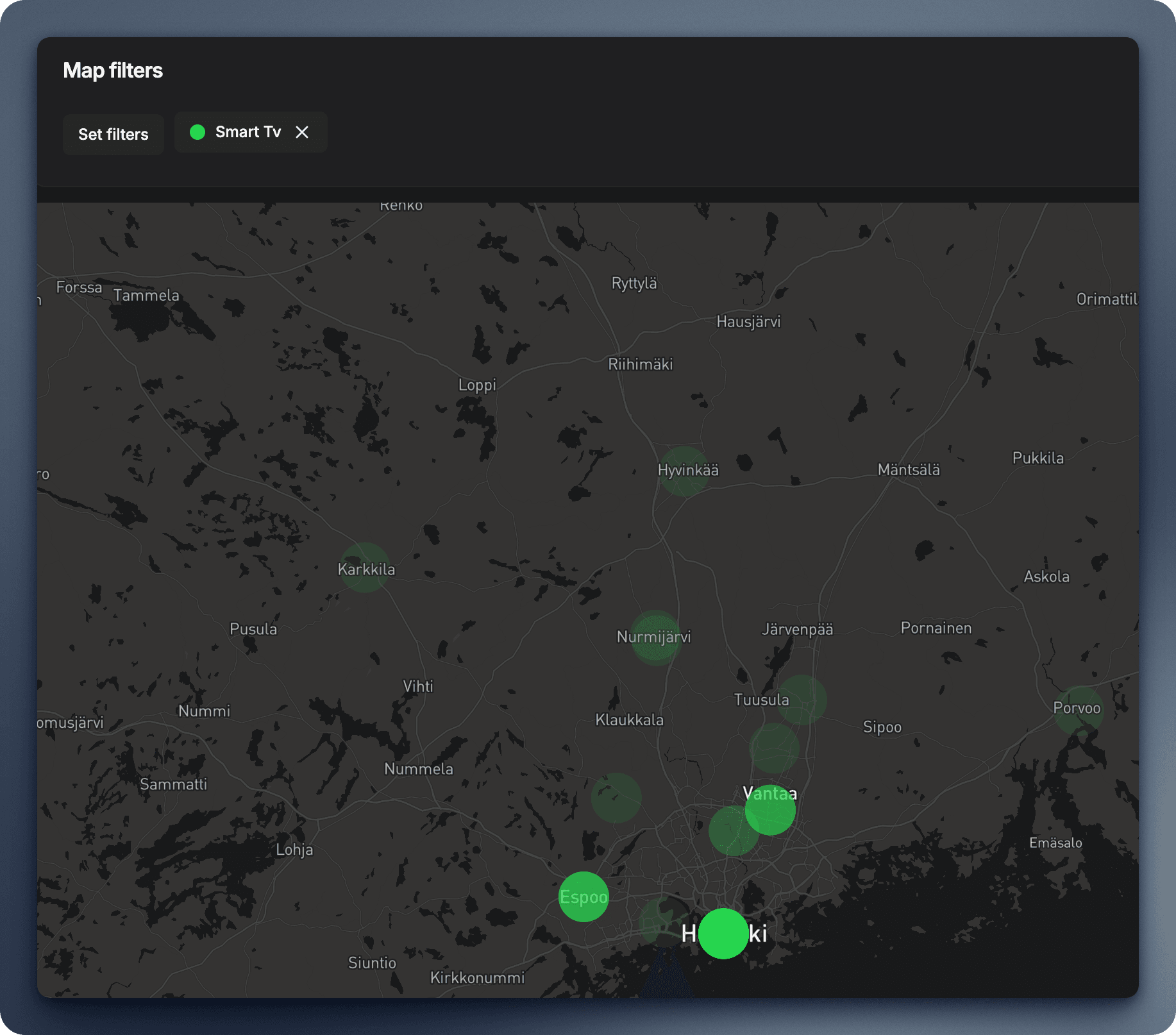
Unlike the single-item Tori Item Map, the Map Page enables you to:
- View multiple categories at once (e.g., iPhones, PlayStations, Bikes)
- Compare geographic distribution across different product types
- Filter by price ranges to find deals in specific areas
- Identify hotspots where certain items are commonly listed
How It Works
The Map Page aggregates items from your selected product categories and displays them as interactive markers on the map.
Adding Categories to the Map
- Navigate to the Map Page from the main navigation
- Click "Set filters" to select from your monitored products
- Choose one or more product categories (e.g., "iPhone", "PlayStation 5", "Mountain Bike")
- Each category appears with a distinct color for easy identification
Understanding the Markers
Each marker on the map represents an item listing:
- Color coding: Different colors for different product categories
- Number badges: Shows how many items are in that specific location
- Click to explore: Click any marker to see item details, prices, and links
Interactive Features
- Zoom and pan across Finland to explore different regions
- Filter by price using the sidebar sliders
- Toggle categories on/off to focus on specific items
- Cluster view: When zoomed out, nearby items group together for cleaner viewing
Use Cases
Price Comparison by Location
Compare prices for the same item across different cities:
- See if iPhones are cheaper in Helsinki vs. Tampere
- Identify regional price trends for gaming consoles
- Find the best deals within your travel radius
Geographic Distribution
Understand where certain items are commonly sold:
- Bikes might concentrate near cycling routes
- Gaming gear often appears in urban areas
- Seasonal items (skis, grills) show regional patterns
Travel Planning
Planning a trip? Check the map to:
- See what's available at your destination
- Identify sellers along your route
- Compare prices between your city and destination
Tips for Best Results
- Start with fewer categories (2-3) for clearer visualization
- Use price filters to focus on your budget range
- Zoom to city level to see individual listings
- Check the legend to understand which color represents which category
Limitations
- Items without clear location data won't appear on the map
- Very dense areas may show clusters instead of individual markers
- Map data depends on sellers providing accurate location information
The Map Page requires at least one product category to be set up. Learn how forward your Tori.fi email notifications here.
You can read more about the Privacy Policy here.